
Document Capture Is Changing: What Modern Teams Should Expect Next
Five shifts in document capture and data extraction, and a practical checklist to evaluate your own workflow before year-end volume arrives.
ScanTrix Team6 min read
On this page
- From "OCR output" to decision-ready data
- Shift 1: Higher accuracy expectations
- Shift 2: Faster time-to-value
- Shift 3: Stricter privacy and security controls
- Shift 4: Human review is part of the design, not a failure
- Shift 5: Capture that connects to the rest of your systems
- How to evaluate your current workflow
- A simple pre-year-end checklist
- What this means for your team
- Frequently asked questions
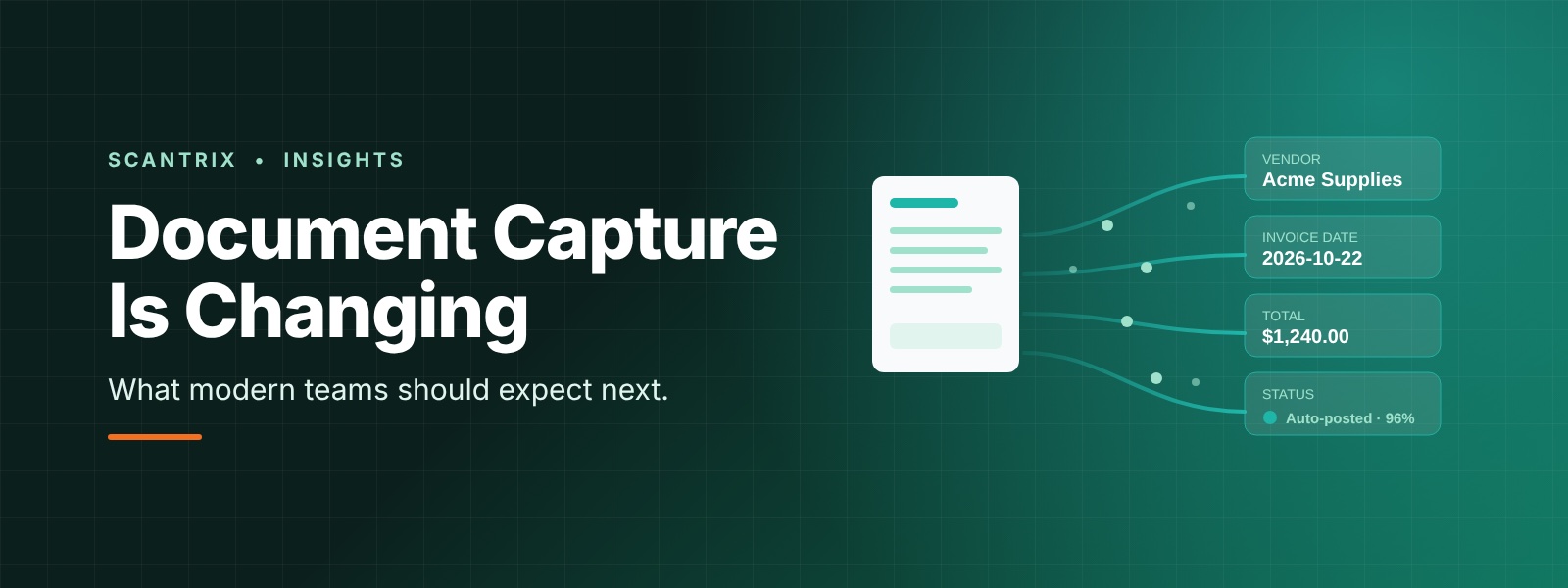
October is a natural reset point for operations teams. Year-end reporting is approaching, peak-season volumes are building, and budgets for next year are taking shape. It's the right moment to ask whether the way your team captures documents and extracts data still fits the way your business works.
Document capture has changed a great deal in the last few years. The change isn't only about reading text off a page. It's about what happens to that data afterward. This post breaks down the biggest shifts in capture and data extraction, and gives you a practical way to evaluate your own workflow before the busiest weeks arrive.
From "OCR output" to decision-ready data
For a long time, success in document capture meant getting readable text out of a scan. Traditional OCR delivered that, but it usually left the hard work to your team: finding the invoice number in a block of text, checking the totals, matching the vendor, and keying it all into another system.
Modern extraction aims at a different outcome: structured, validated fields that downstream systems can act on. The question has moved from "Can we read this document?" to "Can we trust this data enough to route it, approve it, or post it without a person retyping it?"
That change drives most of the other trends below.
Shift 1: Higher accuracy expectations
Teams now expect extraction to handle real-world documents, not just clean samples. That means mixed layouts, varying formats from different vendors, skewed scans, photos taken on a phone, and documents in more than one language.
Accuracy also means more than a headline percentage. What matters in practice is:
- Field-level reliability: the fields that drive payments, billing, or compliance need to be right, not only the average field.
- Confidence you can see: the system should tell you how sure it is, so low-confidence values get reviewed instead of silently passing through.
- Consistency over time: performance shouldn't degrade when a vendor changes its invoice layout.
Shift 2: Faster time-to-value
Teams are less willing to wait months for a capture project to deliver. Long template-building phases and heavy setup are being replaced by approaches that work on new document types quickly, with refinement happening as real documents flow through.
When you evaluate any solution, ask how long it takes to get from a first batch of sample documents to a workflow your team uses daily. A pilot that proves value in weeks is a very different proposition from one that needs a long implementation before anyone sees a result.
Shift 3: Stricter privacy and security controls
Documents carry sensitive information: financial details, personal identifiers, contracts, and customer records. As regulators, customers, and internal risk teams pay closer attention to how that data is handled, security has become a core selection criterion rather than a final checkbox.
Expect to be asked, and to ask vendors, about:
- How data is encrypted in transit and at rest
- Who can access documents and extracted values, and how access is logged
- How long data is retained and where it is stored
- How human review is handled when a person needs to see a document
Treat these as design requirements from the start. They are much harder to retrofit later.
Shift 4: Human review is part of the design, not a failure
Early automation promised "touchless" processing for everything. In practice, the best workflows accept that some documents need a person, and they make that step fast and well-governed.
A well-designed workflow sets confidence thresholds, sends clean documents straight through, and routes exceptions to the right reviewer with the context they need. The goal isn't to remove people from the process. It's to make sure their time goes to the documents that need judgment instead of the ones that only need typing.
Shift 5: Capture that connects to the rest of your systems
Extraction on its own is only the start. Value appears when validated data flows into the systems that run the business: ERP, accounting, CRM, ticketing, and custom workflows. Teams increasingly judge a capture solution by how cleanly it integrates, how it handles exceptions, and how easily it fits the tools they already use.
How to evaluate your current workflow
You don't need a full overhaul to benefit from these shifts. Start by reviewing four areas of your existing process.
1. Manual touchpoints
Map every point where someone opens a document and types or copies values by hand. Count them by document type and by team. The areas with the highest volume and the most repetitive keying are usually your best first candidates for improvement.
2. Exception handling
Ask what happens when a document is unclear, incomplete, or doesn't match what you expected. Is there a defined queue and an owner, or do exceptions travel through email and chat? Slow, informal exception handling is often where cycle time disappears.
3. Audit trails
Check whether you can answer these questions for any record: Who reviewed it? When did a value change? Why was it changed? If those answers live in someone's memory, you'll feel the gap at audit time and during year-end close.
4. Integration readiness
Look at how data gets from the document into your core systems today. Are you using exports and manual uploads? Are APIs available? Knowing this early helps you choose an approach that fits your environment instead of one you have to work around.
A simple pre-year-end checklist
Before the busiest weeks, run through these questions with your team:
- Which document types create the most manual keying today?
- Which fields cause the most downstream errors or rework?
- Do we have confidence thresholds, or does everything get the same level of review?
- Is there a clear owner and queue for exceptions?
- Can we show an audit trail for changes to extracted values?
- Have we reviewed how documents and data are stored, accessed, and retained?
- How easily can validated data move into our ERP, accounting, or CRM tools?
If several of these are hard to answer, that's a signal about where to focus first.
What this means for your team
The direction of travel is clear: capture is becoming faster to deploy, more accurate on messy real-world documents, more security-conscious, and more tightly connected to the systems where work actually happens. Teams that treat extraction as the start of a governed, integrated workflow, rather than a standalone scanning step, tend to be better prepared for volume spikes and reporting deadlines.
ScanTrix focuses on exactly this gap between a scanned document and data your team can trust. Whatever approach you choose, the best time to review your workflow is before peak volume arrives, not during it.
Frequently asked questions
What is the difference between OCR and modern data extraction?
OCR converts the image of a document into text. Modern data extraction goes further: it identifies specific fields, such as vendor, date, totals, and line items, validates them, and delivers structured data that other systems can use.
Why does human review still matter in automated document capture?
Some documents are unclear, unusual, or high-stakes. Confidence thresholds let clean documents pass straight through while routing uncertain ones to a reviewer, which keeps accuracy high without slowing down everything else.
What should I ask a vendor about document security?
Ask about encryption, access controls, retention policies, data residency, audit logging, and how human review of documents is handled.